The asset drive for AI image & video creators. One click captures everything behind a working ComfyUI or fine-tune run — models, custom nodes, locked deps, workflow — and rebuilds it on the next machine you rent, every file checked on the way back.
Every file checked on the way back · RunPod · vast.ai · your own box. Open format, Apache-2.0.
The run it came from
The models inside
All logos, trademarks and registered trademarks are property of their respective owners.
Three steps
The render finally works. One command records what made it work — the models, the custom nodes, the exact locked versions, the workflow — so the machine underneath becomes disposable again.
Repacking a ComfyUI + SDXL run whose model file an earlier nest had already stored. Upload segment only, one run. field report
Your nest sits in your drive. Nothing is running, nothing bills by the hour, and a file you have already stored is never stored twice.
A 23 GB video nest: the files a failed earlier upload had already stored were not sent again. One run. field report
One command on whatever you rent next. Every file is checked byte for byte on the way in, the locked dependencies go back exactly as they were, then it starts the app, runs the packed workflow once, tells you what passed and where the output is.
Door to door: boot, transfer, dependency install, verification and a first render. The 6.5 GB nest held one model and no custom nodes; the 23 GB video nest was one run on the same GPU model. field report · field report
Hand-off
A nest is not just your backup — you can hand one to a client, a teammate or a buyer. They preview it, claim it into their own drive, and rebuild it on a machine of their own. Because storage is content-addressed, what is already stored never travels again — openly-licensed files, at least; restricted ones they pull from the original source themselves.
A hand-off is a 128-bit link — unguessable, single-use by default. You choose how many people can claim it — up to a limit set by your plan — and how long it lives. It stops the moment the claims run out, the clock runs out, or you revoke it.
Not just "no gallery": the preview page itself is rate-limited and marked never-index. It shows a summary — name, size, how many files, dates — never the file names, never an image. Nothing for a stranger to stumble into — or a crawler to find.
Claiming copies the nest into their drive without consuming yours. Openly-licensed files cost nothing extra to pass on; anything under a restricted licence they fetch from its original source with their own credentials.
Pole to pole · ~71,000 km a year
The Arctic tern makes the longest migration on Earth — pole to pole and back, every year. A nest travels the same way: packed once where the run lives, kept in storage while nothing runs, and rebuilt file for file on the next pod you rent.


Measured, not promised
Hardware, sample size, the rows that failed — all of it published. You don't trust us, you check.
116 s
to check 24.6 GB on the way in, file by file.
one 23 GB video nest · verification segment
report1.000000
image similarity after a rebuild on the same GPU model, across clouds.
A4000 to A4000 · RunPod to Vast
report829 Mbps
sustained while pulling a 23 GB nest down.
transfer segment · four large files in parallel · one run
reportHardware independence
Your setup should not break when the card changes.
A nest is a recipe, not a frozen disk. The locked dependencies are installed again on the card you just landed on, and every file is verified byte for byte on the way in. Before that, the pre-flight check compares the machine with the card that packed the nest and refuses a pairing that cannot work — such as a card a generation newer than the capture.
Where the hardware does leave a mark — a different CPU brand, a different GPU model — it leaves the same mark every single time. Predictable, not lucky.
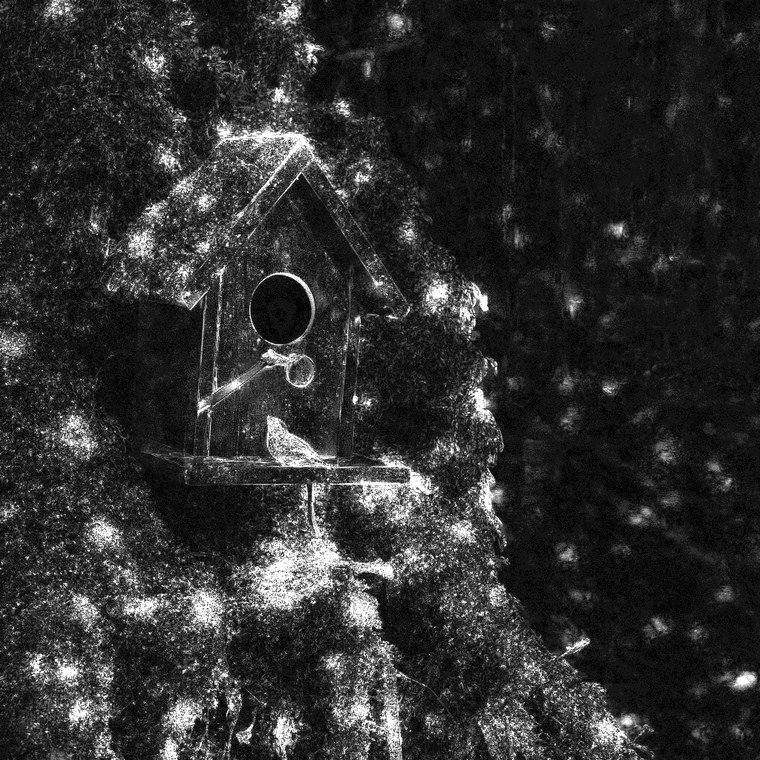
Not “looks the same”. Rebuilds on the same GPU model and CPU brand produce the same image file, byte for byte, across countries and hosts — so the difference map is empty. field report


One deterministic image, not a cloud of near-misses: the same six decimals every time. Even the error is reproducible, which is a stronger claim than “no error”. field report


Other GPU model
slight, stable differences — about 94% similar on video
Files, checked
every file byte for byte, every restore; a mismatch names the file
Same CPU brand
on the same GPU model, renders come back pixel for pixel
Other CPU brand
a difference you cannot see, and it never varies
Source-available tool · Open format
The format spec and the escape hatch are Apache-2.0; the renest tool's source is public, but the tool is not open-source software. Nothing about a nest depends on us still being here — your work is never hostage to us.
Every nest ships one. It brings back the files and the locked dependencies with zero Renest code.
bash restore.sh Point it at your nest and a target folder. It leans on curl · jq · sha256sum · tar · uv — and nothing else. escape hatch
One global network
A nest comes down from your drive onto whichever machine you rent, on RunPod or Vast, every file checked byte for byte. Below are routes from our published field reports — each one says whether it measured the transfer segment or the whole rebuild door to door.
Door-to-door times include boot, dependency install and verification; the Mbps figure is the transfer segment alone. Single runs — each report states its sample size.
FAQ
A pod's container disk is wiped when it stops, and the custom nodes, their Python packages and downloaded models go with it. A network volume keeps the files inside one region of one provider; a nest keeps the files and a reinstallable record of the environment, and comes back on any machine you rent, every file checked.
If you always come back to the same region and the same kind of machine, you may not. A volume keeps files, not a working environment: the Python packages and system libraries a custom node needs are built for one machine and often break on the next one. A nest reinstalls them for the machine you landed on.
Yes — each keeps a different layer. A Manager snapshot records which node repositories and commits you had and clones them again; it doesn't carry models. A Docker image freezes the system and Python layers, and gets huge with models baked in. A nest keeps the files themselves, the exact package versions to reinstall, and the system libraries the run loaded.
Not necessarily, and we don't promise it. In our tests the same GPU model with the same CPU brand gave the same file; a different CPU brand gave a slightly different image — the same one every time; a different GPU model differed more. What we guarantee is the files.
A Linux machine with an NVIDIA GPU, and the renest command-line tool. The quickest start is the official base image — one template link on RunPod or vast.ai. Any other machine works too: the restore checks it before anything downloads and refuses a pairing that cannot work.
It prints where the output is, the workflow file, and the command that starts the app: renest start --dir ./run --listen 0.0.0.0. Open that port in your provider's panel and use your ComfyUI in the browser as usual.
Yes, with a hand-off: a private code for named people — there are no public links. They preview what's inside, claim it into their own drive and restore it on a machine of their own. Receiving works on the free plan; sending needs a paid plan.
They stay yours. The format is open (Apache-2.0) and every nest carries a plain restore.sh that brings its files and dependencies back from storage with ordinary tools and no Renest code. You can also download any version, any time.
Start with a starter nest — a run we packed and checked — and restore it on a machine you choose. Free, no card. When you have a run of your own worth keeping, save that too.